
Welcome to the SSH project
Secure Snake Home runs snake securely
| ||
| ||
What is SSH?Secure Snake Home, or ssh, is a protocol and client for securely playing multiplayer snake over the internet.Unlike traditional methods of playing snake (such as telnet), all ssh traffic is encrypted to ensure the integrity of competitive play. Say goodbye to cheating sysadmins at the top of your leaderboards! ssh is powerful and flexible. While it is primarily designed for competitive online snake play, an active modding community has used it to sell coffee over the internet and even to log into computers remotely. snakes.run is a modern reimplementation of Snake Session Handler Daemon (sshd) capable of supporting over 2,000 concurrent players in the same world-wide game! 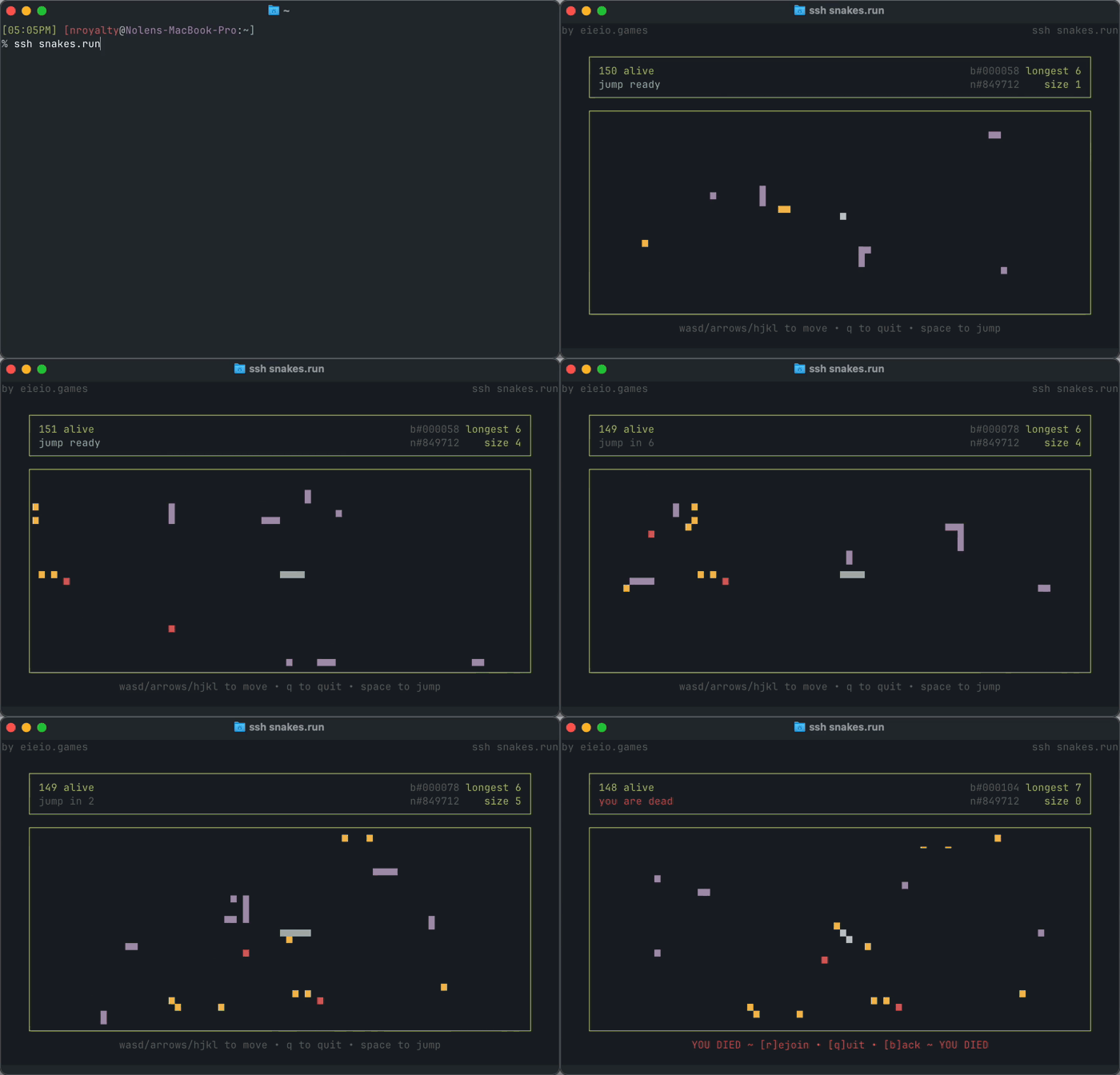 snakes.run gameplay from late in development. Note the 150 concurrent players!
| ||
ConnectingYou may already have the ssh command installed. If you don't, ask your system administrator to install it. Then run:
This will connect you to the game. To validate that you've connected to the right server, use the ssh-keyscan and ssh-keygen commands. You should see output like this:
If you see different output, it's possible that a player is executing a "man in the middle" attack to view your moves before they are relayed to the server. To prevent cheating it's important that you validate that you're connecting to the right server! | ||
PlayingWhile ssh control schemes have historically varied, snakes.run supports several "flavors" of input so most players should feel right at home.Use WASD, Arrow Keys, or HJKL (vi motion keys) to control your snake. For example, pressing "W" or "Up" will turn your snake up. Use Space to "jump" your snake forward 3 tiles. This can be useful when you're trapped by another player (or yourself)! Jumping can be used once every 10 seconds. Avoid running into other players while collecting fruit to grow the biggest snake possible! Note that snakes are invulnerable for a little bit immediately after joining. | ||
FAQ
| ||
History
| ||
|
eieio |